web design
Skincare, Simplified
Bringing routine building, ingredient analysis, and compatibility checking all in one place — so skincare finally makes sense.
context
Project Overview
The Challenge
Skincare should be simple. Between conflicting ingredients, misleading marketing, and paywalled apps, building a routine that actually works feels overwhelming.
The Solution
I prototyped a webapp built around three core actions: analyze, build, and share.
my role
What I Owned
Discovery & Research
- →Competitive Analysis
- →User Flow
Design & Prototyping
- →Wireframing
- →Figma Make for Iterations
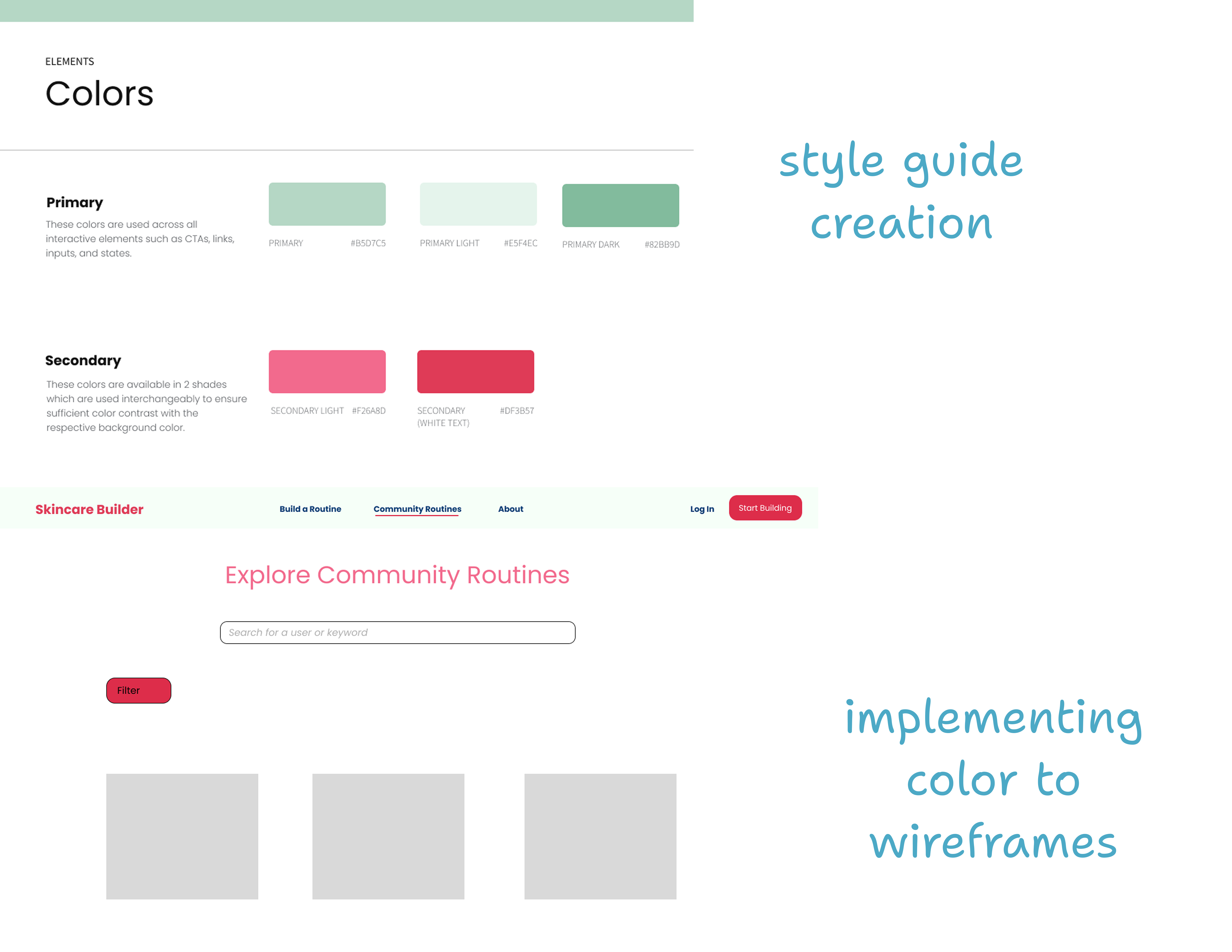
- →Style Guide Creation
Deployment
- →(Currently in progress via Cursor)
outcomes
The Prototypes
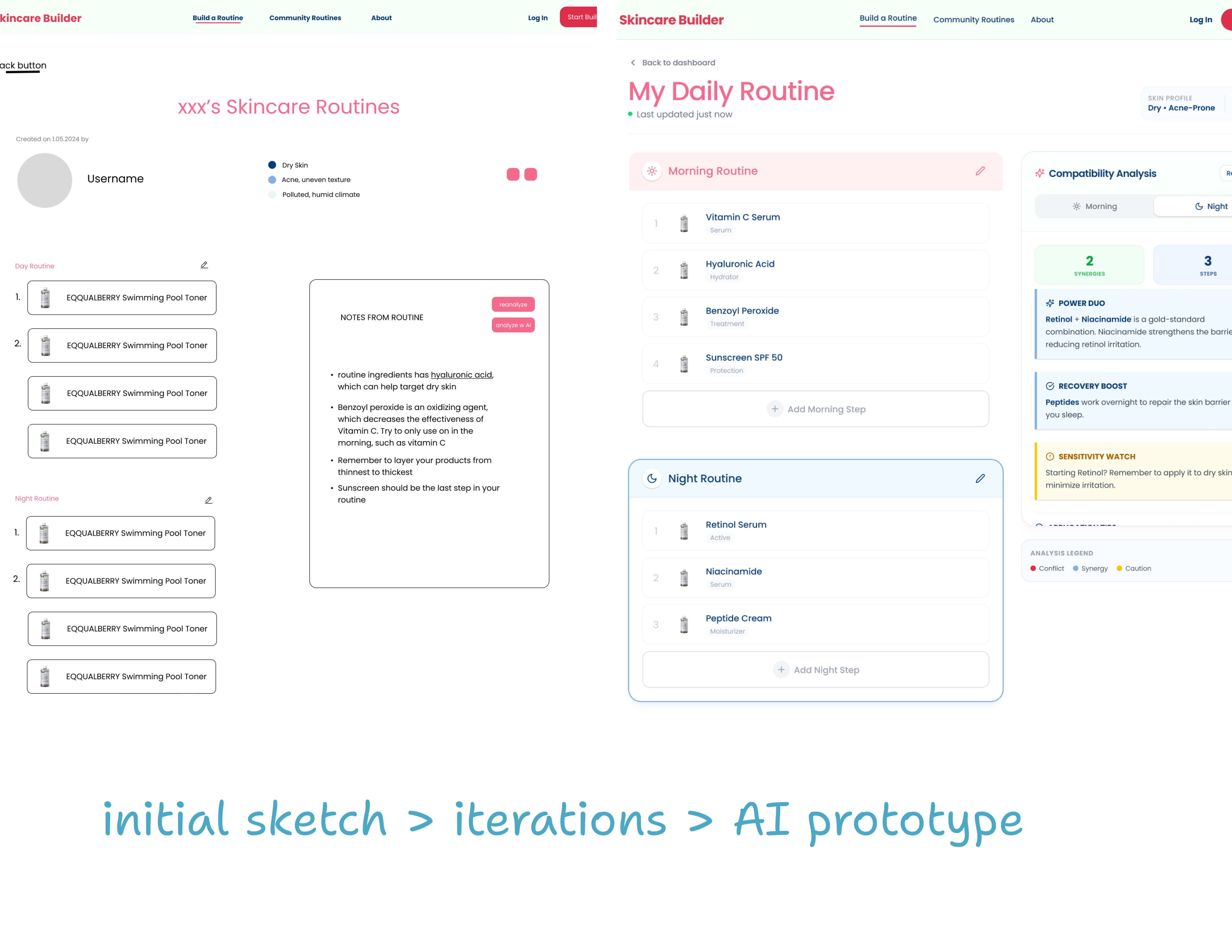
This project started with my own skincare rabbit hole. The more I looked for advice for my own products, the more I noticed the same gap everywhere I looked: routine building lived in one app, ingredient checking in another, compatibility analysis somewhere else entirely… never all in the same place. So, I set out to build an app for myself. What began as a way to grow my familiarity designing with AI became a chance to take a problem I genuinely cared about and shape it into a product from the ground up.
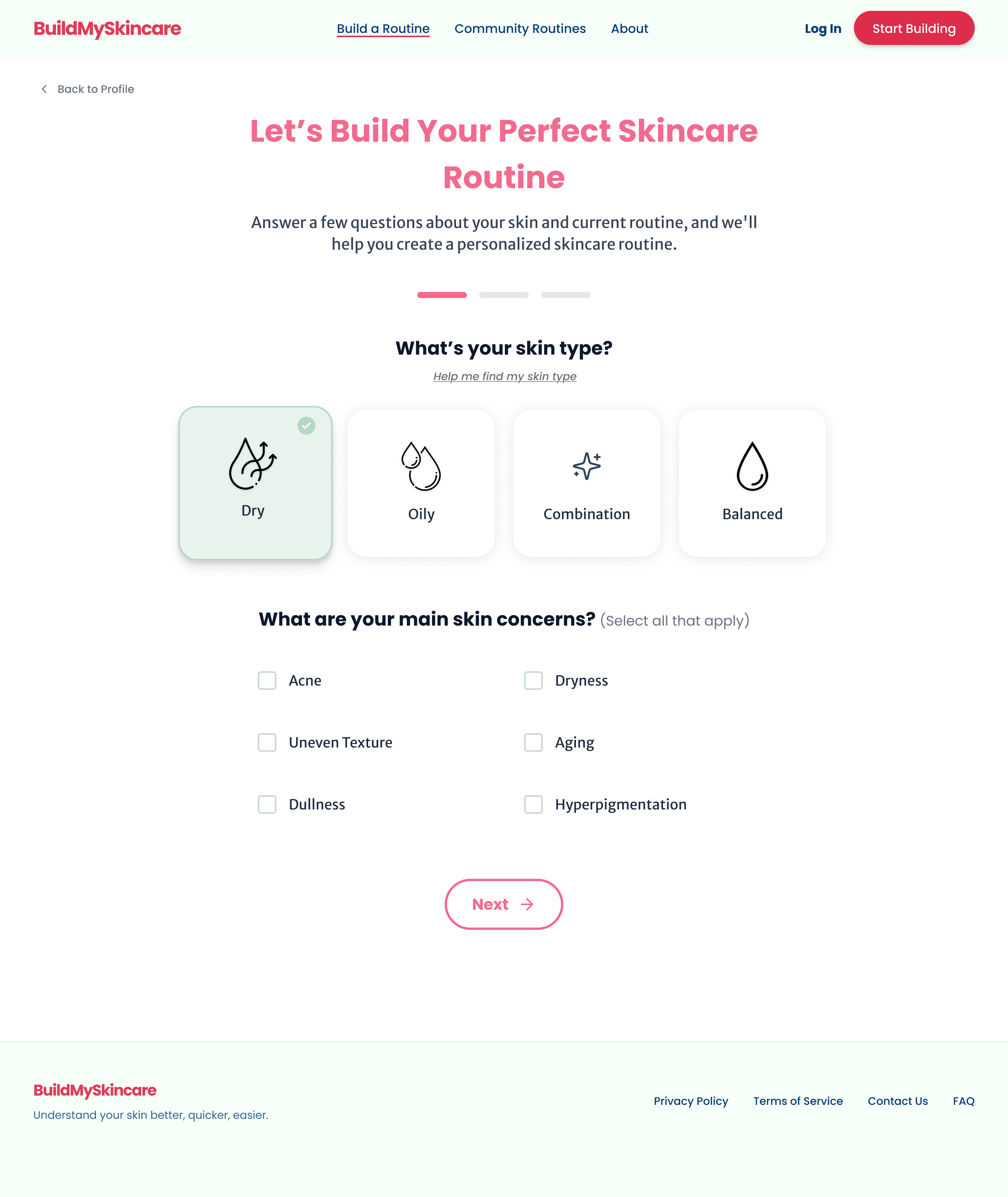
Personalized Skincare Routine (Slide 1-2)
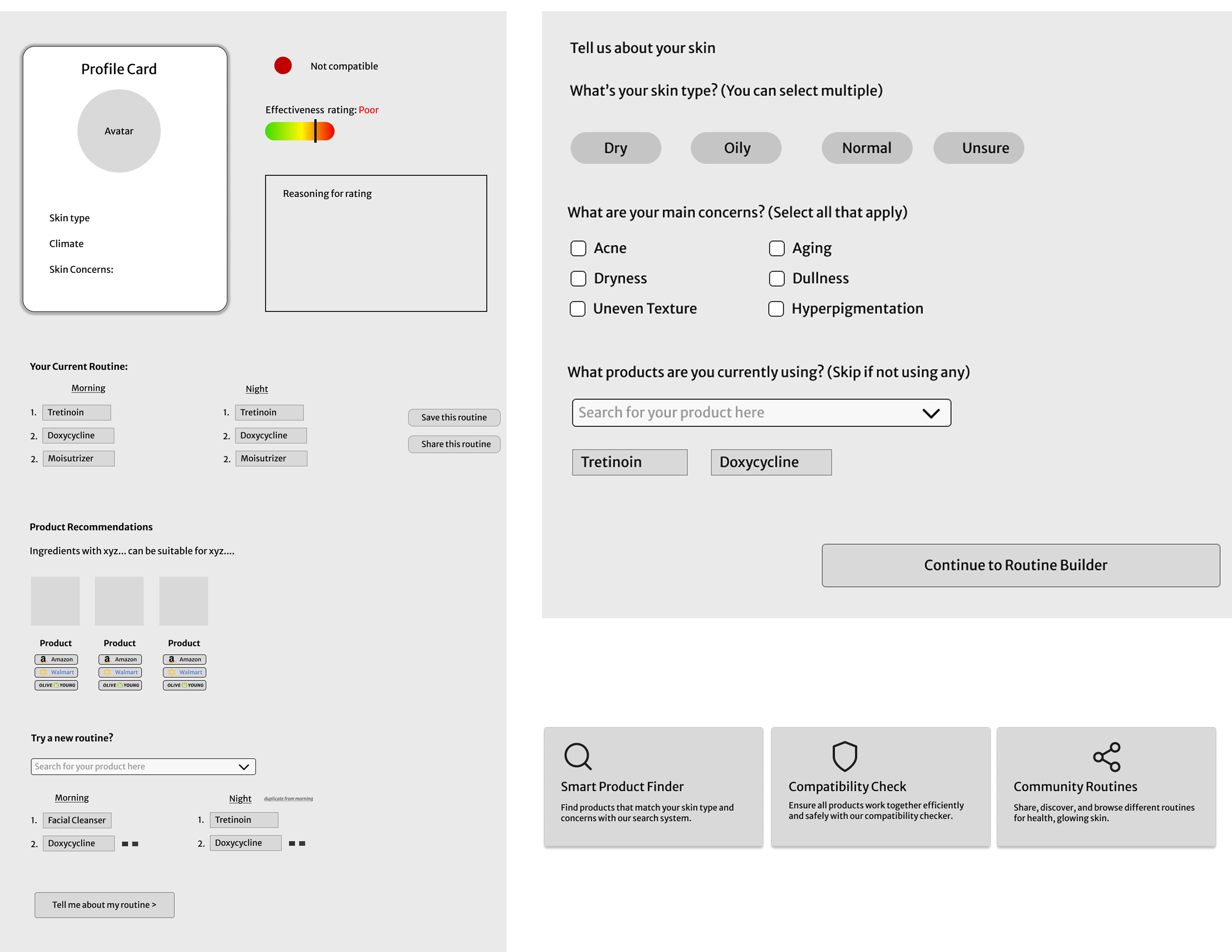
After a short quiz, the app curates a routine based on user concerns and climate—offering clear direction in an otherwise overwhelming product landscape.
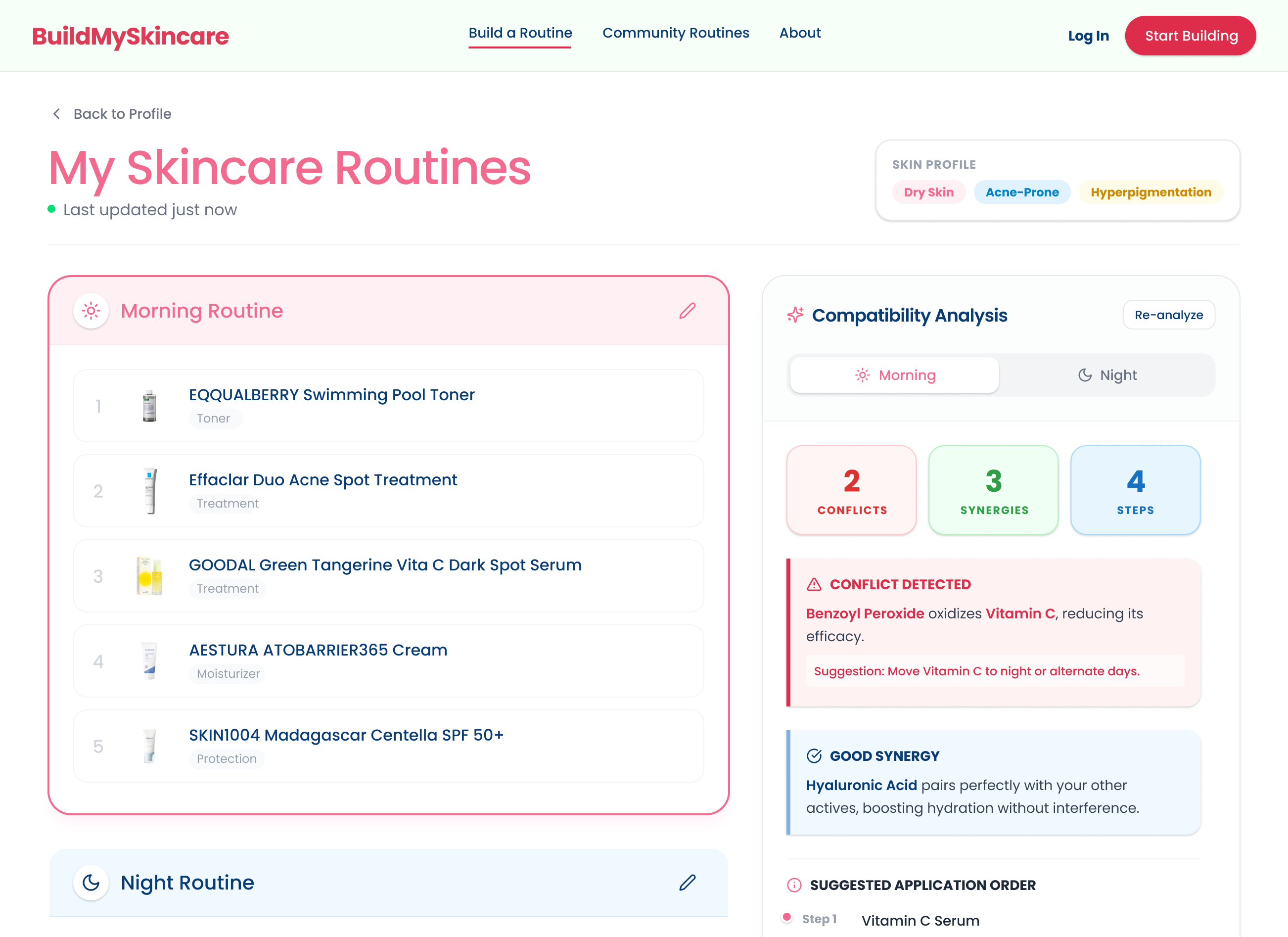
Ingredient Compatability Analysis (Slide 3-4)
Because some ingredients enhance absorption while others conflict, the compatibility analysis shows users how their specific routine performs.
Community Routines (Slide 5)
Trending products are often driven by sponsorships, so I originally included a trending page before testing showed it could invite the same problem. I replaced it with community routines, where popular products appear as part of real people's routines, separate from paid promotion.
methodology
The Process
Competitive and Comparative Analysis
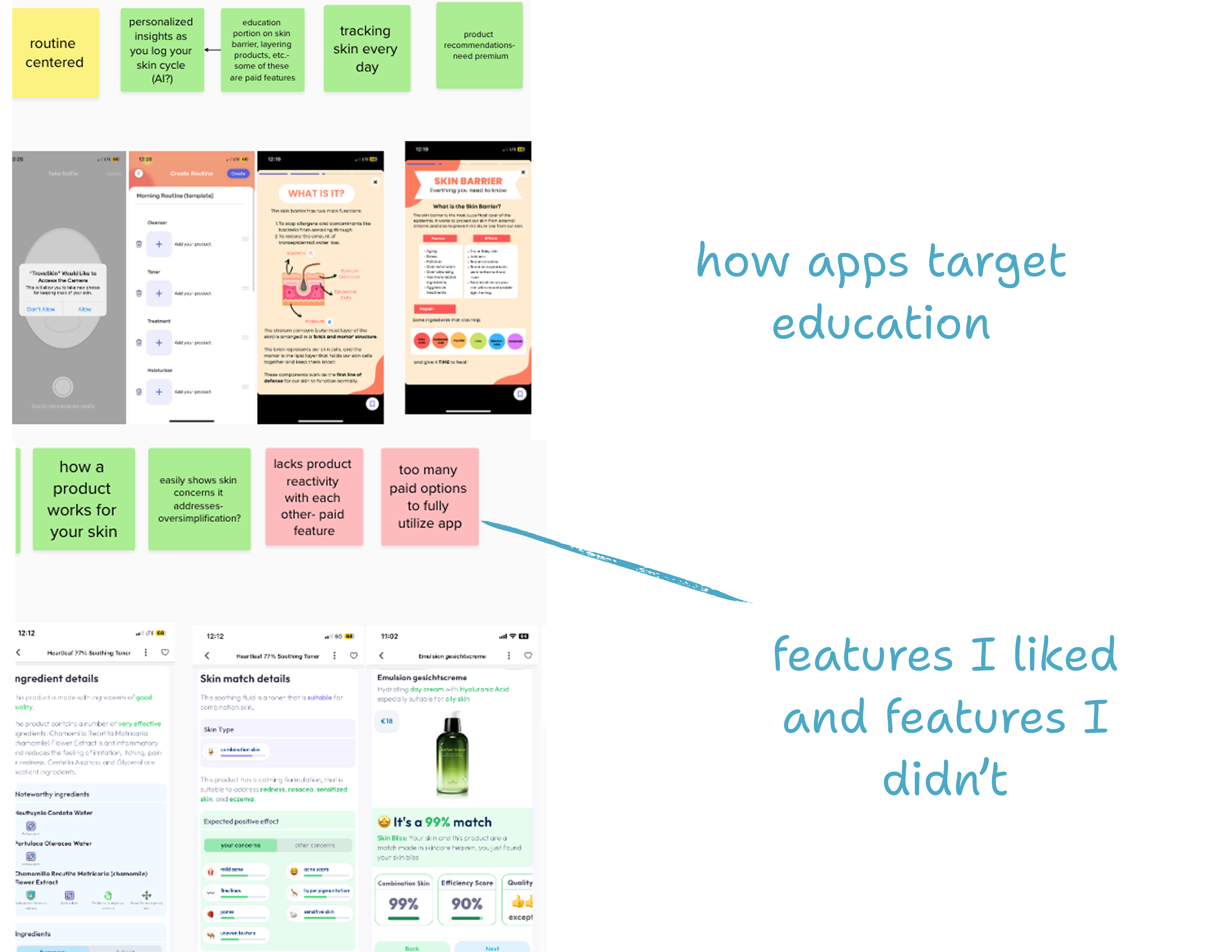
I explored two apps, Skinbliss and Trove Skin, chosen for their popularity on Reddit, where I find users give the most honest feedback. Each solved one piece of the puzzle, but none brought routine building, ingredient lookup, and compatibility checking together, and many tried to do too much at once. I also struggled to find recommendations that weren't saturated with ads. Beyond skincare apps, I studied personalization quiz for guiding selection and seeing what was trending.
User Flows and Design Trade-offs
I wanted to keep the site simple, focused on three core capabilities: analyze, build, and share. I mapped how someone would move through each, and chose web over mobile because people wanted quick answers, not another app to download.
Wireframes, Style Guides, and Feasibility
I built a style guide to give the site its own identity, then shaped the first wireframes around it. Throughout, I worked with a software engineer to make sure the design could actually function, including how product and ingredient data would be stored so results could populate.
Prototyping and Concept Testing
I used Figma Make to raise the fidelity of my wireframes and fill in placeholder text, while keeping the design decisions my own. I then tested the concept with three potential users, including a dermatology nurse. The nurse stressed that compatibility information should link to its sources, or even carry professional approval, so users can trust it. Testers also flagged too many buttons and a skin type quiz too simplified for people unsure of their type.